Have a question? Visit our contact page

You’ve got a desk, computer, pens, a notepad, and a cup of coffee. Sounds like you’re all ready to get to work, right? Well, actually, there are a few essential items that we think you might be missing!


A lot of people forget about ergonomic design when setting up their workspace. Maybe you’ve started a new job, and they gave you a simple desk area to work with. You can still get an awesome ergonomic setup by just adding a few small accessories. Here is our list of essential items.


1. Dual Monitor Mount

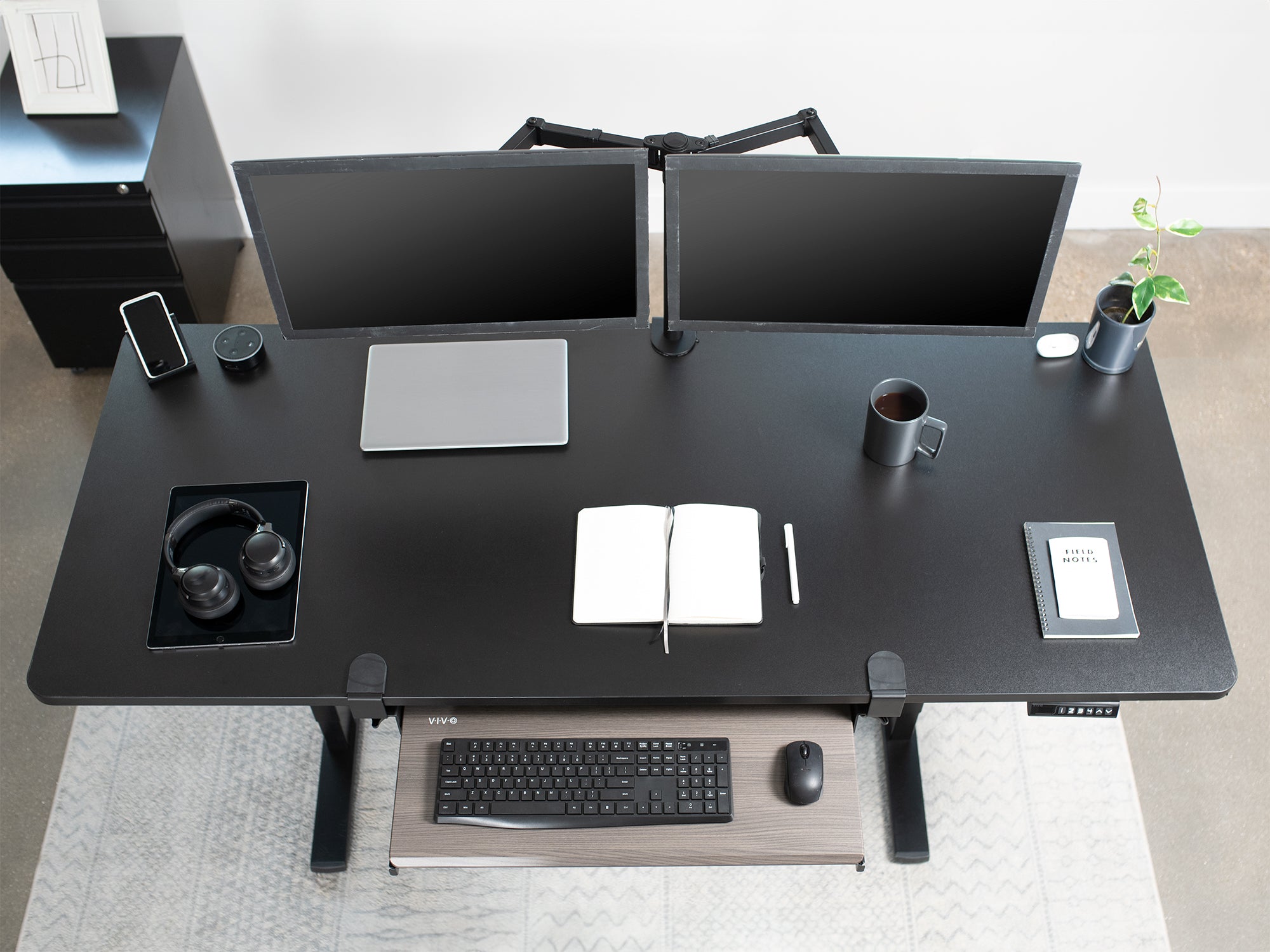
If you don’t already have two computer monitors, you should. And once you have two monitors, a dual monitor mount is a must. Dual monitors have been proven to provide an increase in productivity and efficiency, and having the right mount can allow you to move and adjust the screens to the ergonomic viewing angle that is best for you.


2. Keyboard Mount

Resting your wrists in a proper, ergonomic position is vital to combat injuries and diseases caused from typing, such as carpal tunnel. Keyboard trays are typically mounted under your desk and allow you to rest your wrists in a comfortable position.


3. Anti-Fatigue Mat

If you use a height adjustable desk, which is also highly recommended, then you definitely need an anti-fatigue mat. These mats are typically cushioned in order to take pressure off your feet and ankles. Some even come with raised grooves and ridges for added foot relief. Trust us, your legs and feet will thank you!


4. Laptop Stand

If you are a laptop user, it is very important that you raise your laptop to a proper viewing angle as well. There are several different stands out there to help you achieve that. It all depends on your preference.


Incorporating ergonomic office products into your everyday work setup will help you achieve a higher level of productivity and efficiency, all while helping reduce strain and fatigue on your muscles and joints. You can browse our product catalog for a variety of products so you can create your perfect office setup today!


If you like this blog post and want to read more, head over to our blog page! You can stay up-to-date on all of our latest blog posts and product offerings by following us on our social media accounts!

 

Leave a comment

Please note, comments need to be approved before they are published.

This site is protected by hCaptcha and the hCaptcha Privacy Policy and Terms of Service apply.

Related articles

Finding Your Perfect Monitor Setup: A Guide to Mounts and Stands for Every Space

Finding Your Perfect Monitor Setup: A Guide to Mounts and Stands for Every Space

Picking a monitor mount isn't just a hardware decision, it's a workspace decision. This guide walks through how to match a mount or stand to your desk space, monitor count, and daily habits, so your setup actually works for you instead of against you. Whether the goal is clearing off counter space, fixing an aching neck, or building a proper multi-monitor command center, this breaks down exactly how to find the right fit.

Read more

Long Weekend, Clean Desk: A Labor Day Home Office Refresh Guide

Long Weekend, Clean Desk: A Labor Day Home Office Refresh Guide

Labor Day weekend can be a built-in reset button before the Q4 sprint hits. Instead of another "back to school" spin, we want to lean into the idea that most people already have an extra day off and a slower few days, making it the natural time to finally deal with the cable mess, the wobbly monitor, and the desk drawer that's become a junk drawer. You don't need a weekend project, you need thirty minutes and the right setup. Throughout this post, specific VIVO products get highlighted as the tools that make the refresh actually happen, tied to real friction points (tangled cables, cramped single-monitor setups, no storage, an uncomfortable non-adjustable desk) rather than generic product callouts.

Read more

Upgrade Your Setup Without Blowing Your Budget: The Best Desk Accessories Under $50

Upgrade Your Setup Without Blowing Your Budget: The Best Desk Accessories Under $50

This post is for the end-of-summer shoppers who are feeling the spending fatigue from vacation season, back-to-school costs, and general summer splurging. Rather than positioning a desk upgrade as a luxury, the concept reframes it as a practical, low-risk investment: small changes to your workspace can make a real difference in how you feel sitting down every day, and they don't have to cost much to do it. The post walks readers through accessible VIVO products across key desk accessory categories (monitor mounting, cable management, storage, and ergonomic add-ons) all priced at or under $50, giving deal-seekers a clear path to a better setup without the buyer's remorse.

Read more